Generative AI Visual Language
Role
Visual Designer
Collaborators
Icons Team, Design System Engineering, Product Teams
Timeline
6 Months
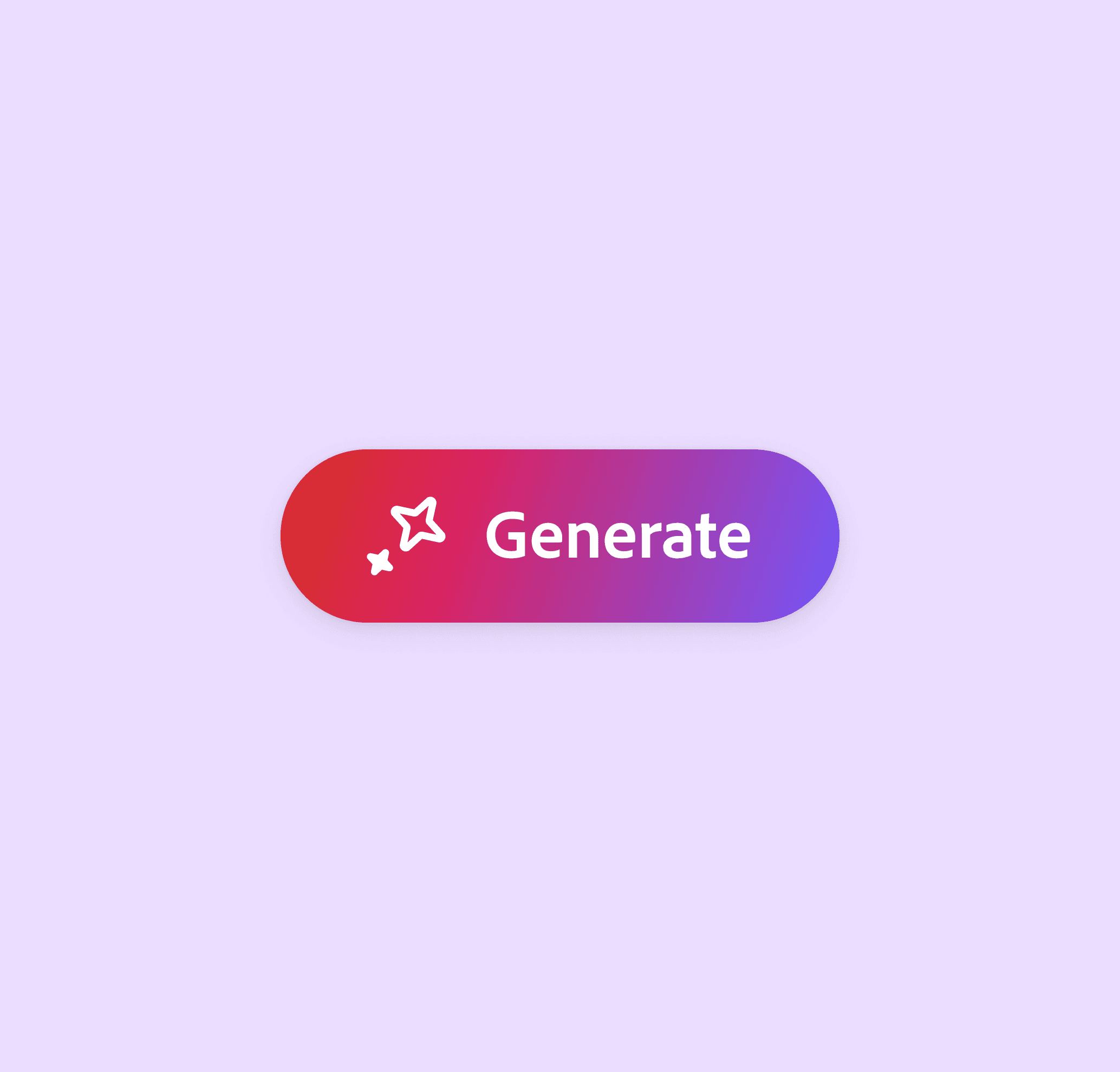
Defining how generative AI looks and feels across all of Adobe.
As generative AI features began shipping across Adobe's product suite, the visual language representing that technology had no shared foundation. I led the visual direction and implementation guidance for Adobe's generative AI visual system, a unified approach to AI affordances now adopted across Creative Cloud, Document Cloud, and Experience Cloud.
Role
Visual Designer on the Product Brand Team within the Spectrum Design System org. I owned the visual direction for the generative AI system extension, defining the gradient, establishing rules for icon and button usage, and authoring implementation guidelines distributed to product teams across Adobe.
Problem
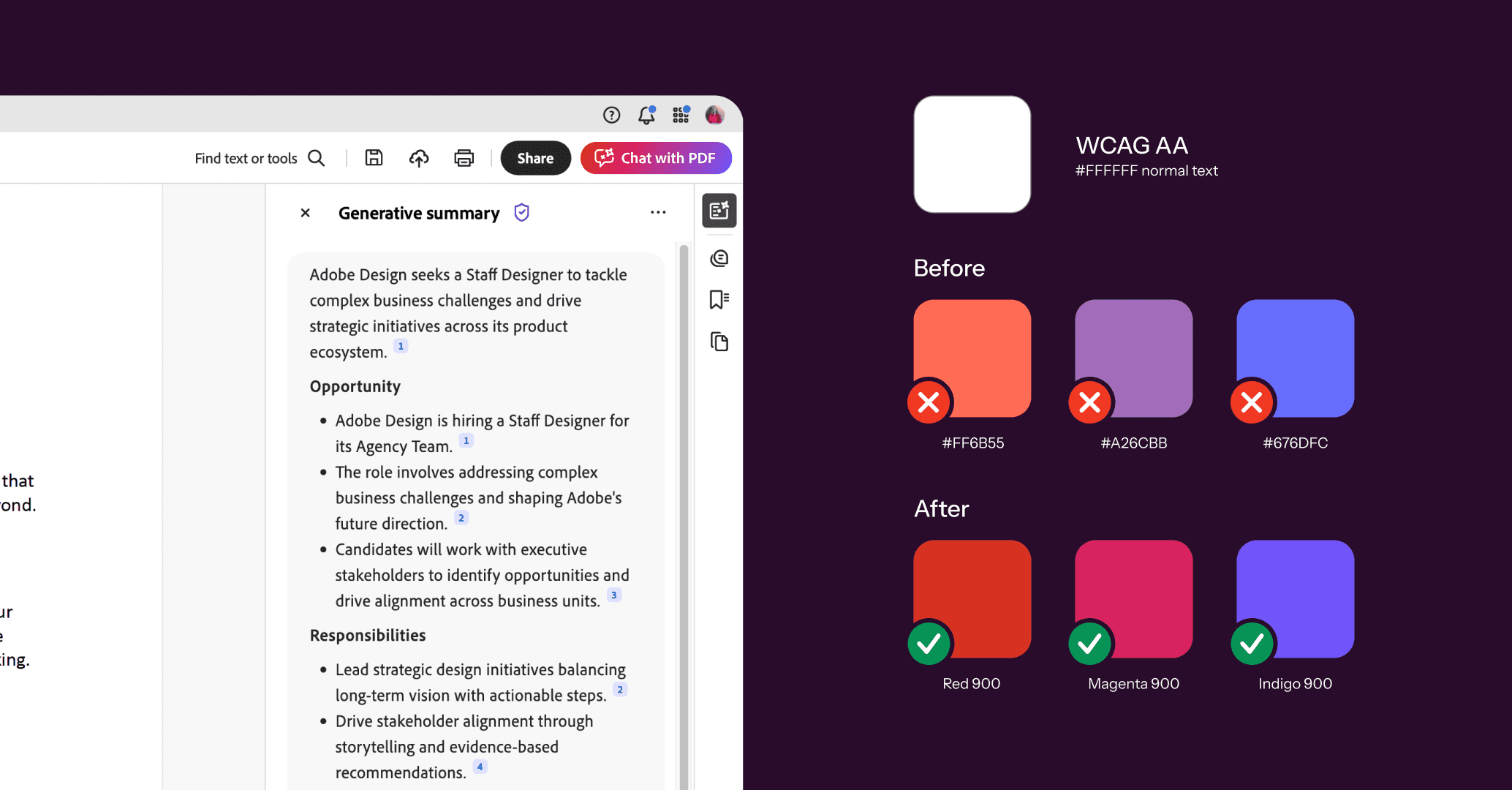
Generative AI features were arriving in Adobe products faster than any shared visual standard could keep up. Adobe Express, Acrobat, and Lightroom each created their own AI gradient, with inconsistent hierarchy, varying degrees of saturation, and at least one instance in which the chosen gradient failed WCAG accessibility standards. The business mandate was to drive the discovery and adoption of generative AI features across products. However, user sentiment around gen AI was complex. The visual system needed to signal AI capabilities without alienating the users who had felt hesitant about this technology.
Research
I conducted a competitive analysis of 15+ AI experiences, confirming that sparkles and gradients were the industry-wide shorthand for generative AI. In addition, I audited every in-use AI gradient across Adobe products and mapped them against the competitive landscape. The audit made the inconsistency concrete and gave the project a clear goal to make the solution unified, balanced, and accessible.
One study found that about 49% of Adobe's core Creative Professional audience was worried that generative AI would put them out of a job.
Process
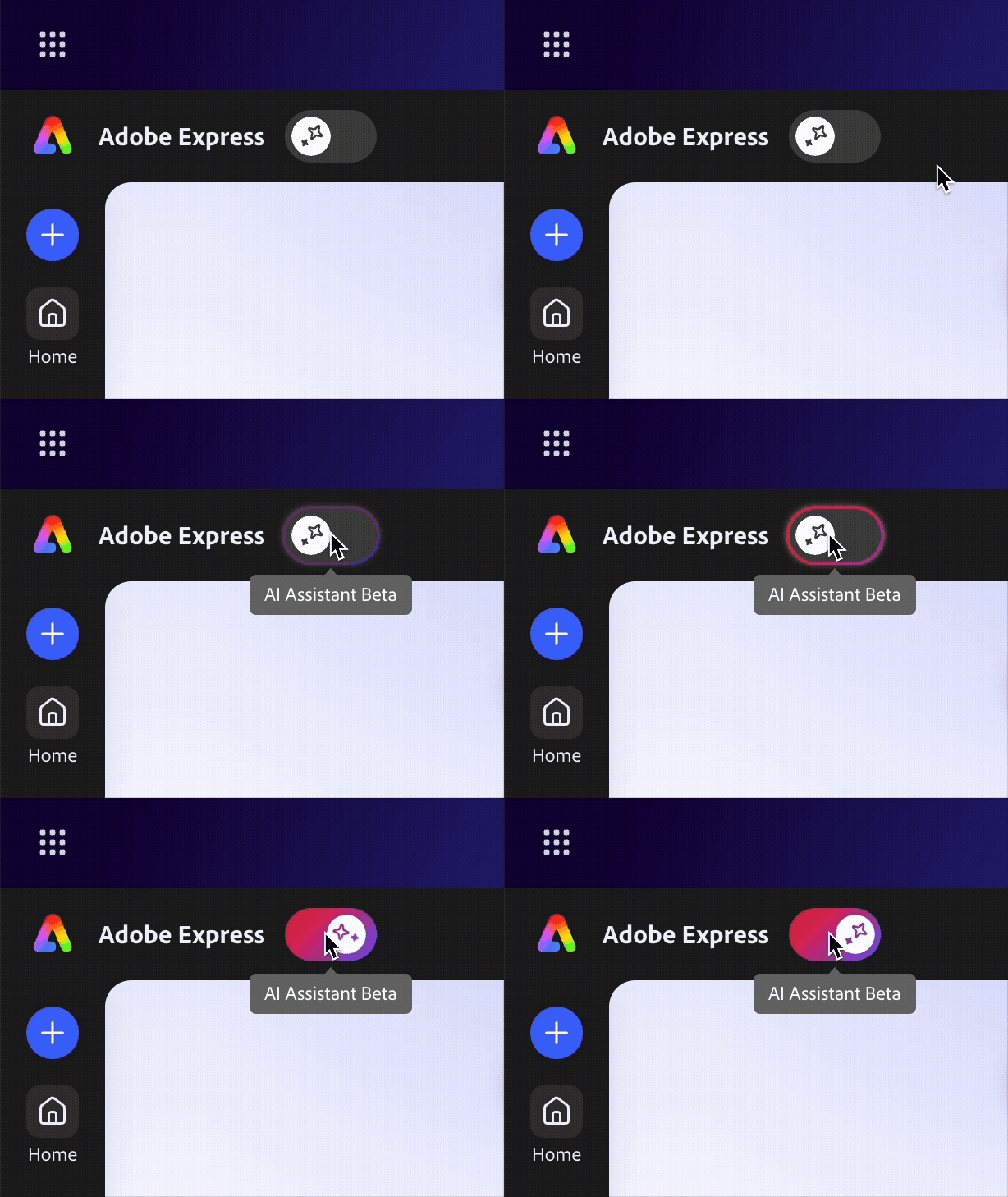
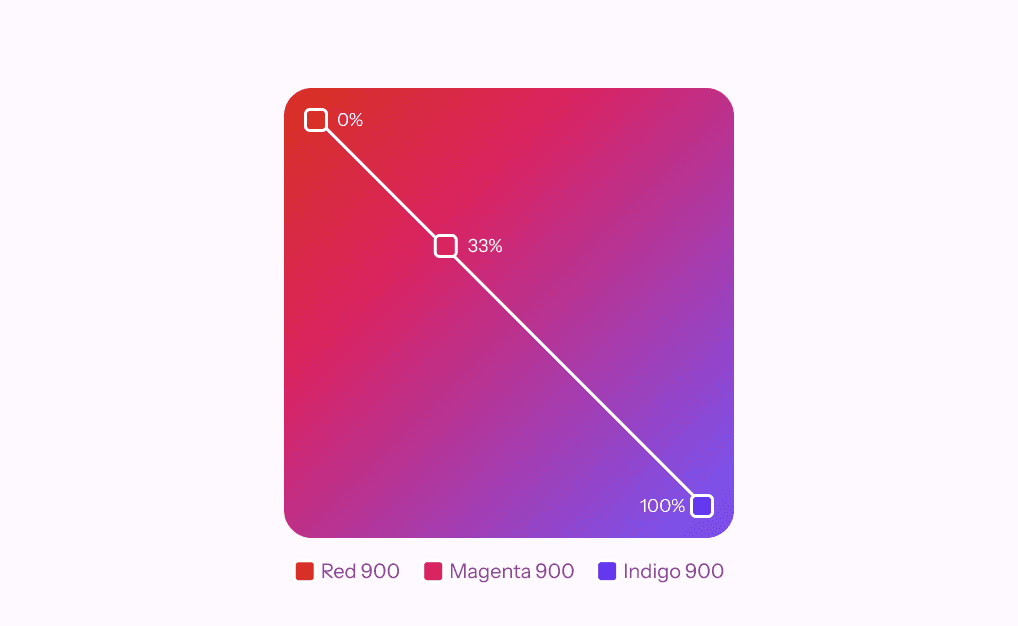
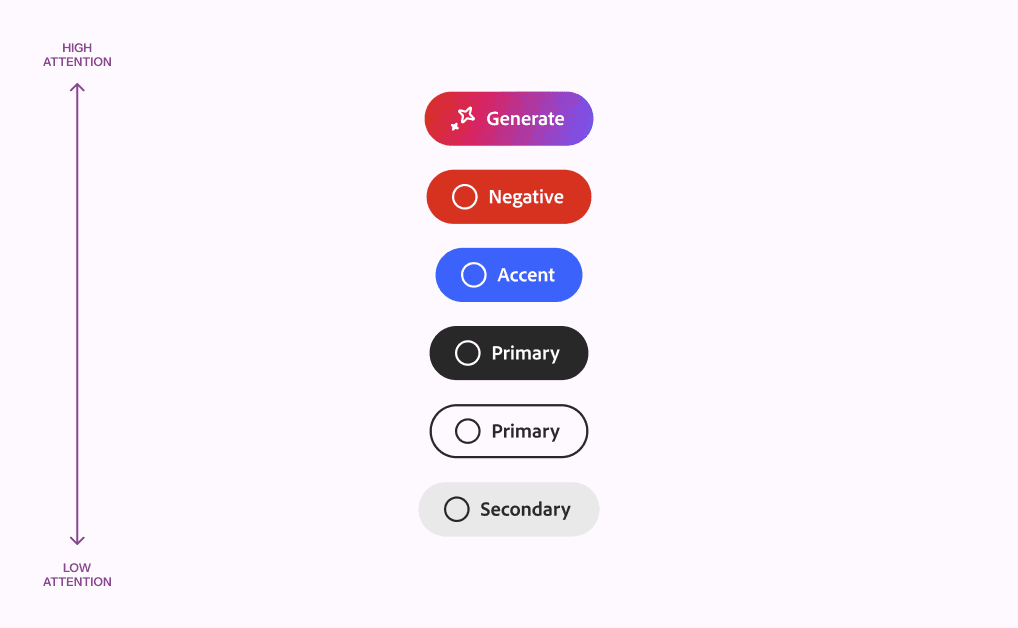
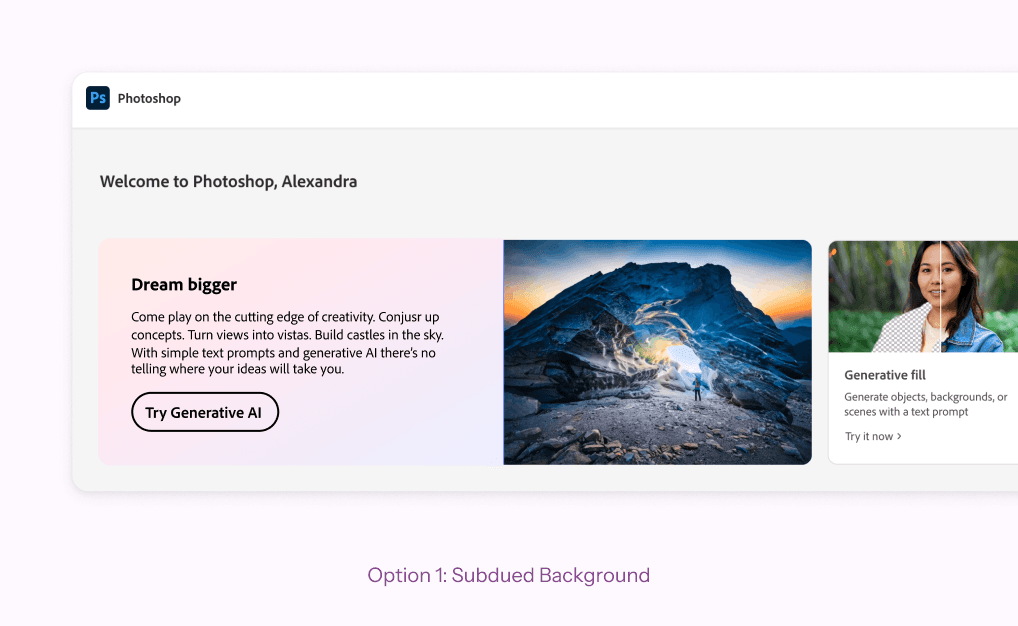
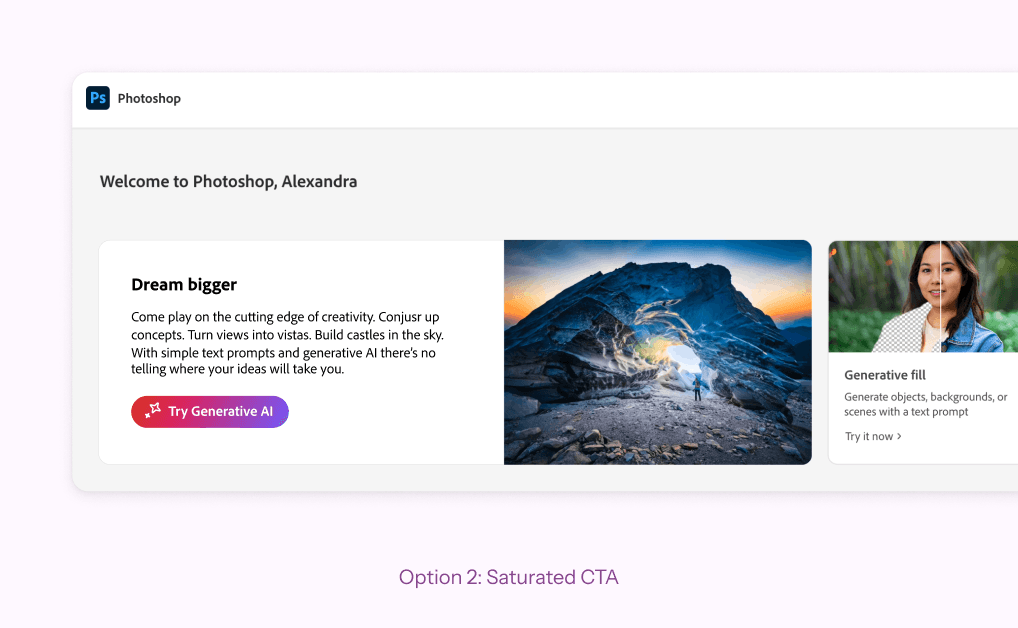
Exploration began with two gradient directions: saturated and subdued. Seeing them in-situ made the saturation problem immediately apparent. When multiple gen AI features appeared in a single experience, a rich gradient on every entry point created visual noise that undercut the hierarchy we were trying to establish. I pivoted to a more limited approach early. From there, I worked through color combinations with attention to hue selection, gradient stop locations, and blending behavior. The goal was a gradient that felt harmonious and not muddy. I landed on a red, magenta, and indigo combination, close enough to previously used product gradients to reduce user friction and visually distinct enough to read as a system-level signal. The gradient is angled within the button component, maintaining visual fidelity as the button is responsively resized, which was a core consideration for localization. I tested several versions of the implementation guidelines with product teams and learned that the logic needed to be simple enough for any team to apply correctly on their own. To remain accessible, an icon was always required with the gradient, ensuring that color was not sole indicator of AI functionality. After the system rollout, I consulted individual product teams as-needed. These constraints kept individual product experiences from oversaturating while preserving the system's flexibility and legibility across contexts.
Outcomes
The system was adopted across 5+ Adobe products within six months of launch, spanning Creative Cloud, Document Cloud, and Experience Cloud. Acrobat, which had been previously flagged for a failing AI gradient, adopted the new system and passed WCAG accessibility requirements. The approach proved durable. The brand team is now actively building on the foundation to push the visual language forward as generative AI continues to expand across Adobe's product suite.
Retrospective
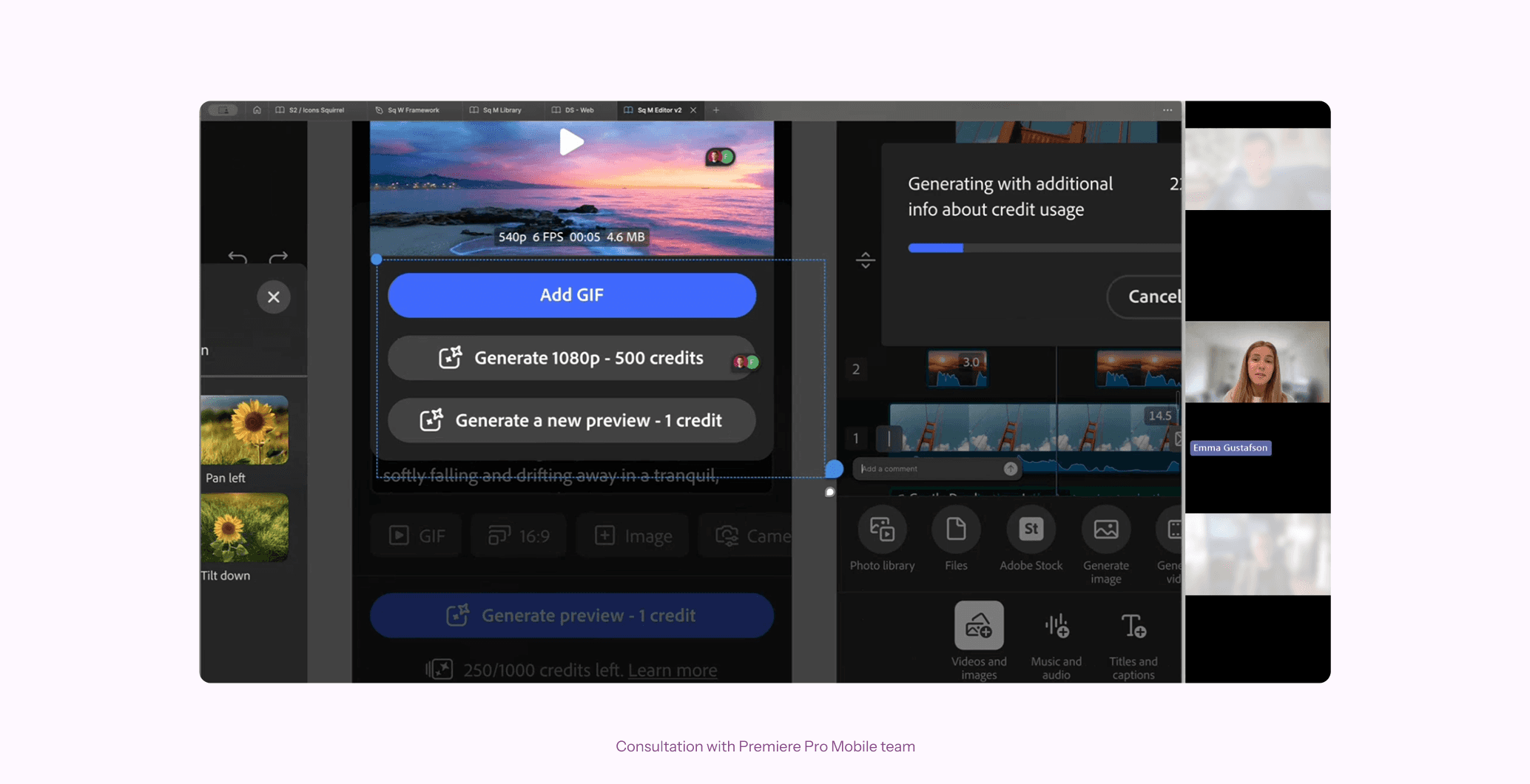
What looks like a small visual decision carries significant weight when it ships across a platform used by millions of people. The business pressure to make AI feel prominent and the user pressure to make it feel unobtrusive pulled in opposite directions, and the system had to hold both. The constraint-based approach, limiting where and how often the gradient appears, turned out to be the answer to both tensions at once. If I were starting over, I would have instrumented the rollout of the guidelines earlier. Understanding which product teams needed the most support and where the rules broke down in practice would have made the early iteration faster. The work of defining a visual identity for an emerging technology is never finished on launch day, and building feedback loops in from the start would have served the next phase better.